Download Station için İnternet Bağlantı Politikası Nasıl Değiştirilir?
Dahili Transmission torrent istemcisinin İnternet bağlantı politikası, router'ın komut satırı arayüzünde KeeneticOS 3.1 sürümünden itibaren değiştirilebilir.
Daha fazla kurulum için harici ağlara erişim sağlayan yapılandırılmış yedek bağlantılara ve yapılandırılmış bir Transmission torrent istemcisine ihtiyacınız olacaktır. Örneğimizde bu, Wireguard arayüzü olan bir bağlantı olacaktır.
Router'ın komut satırı arayüzünde (CLI), aşağıdaki komutları girin:
1. Mevcut bağlantı politikalarını kontrol edin:
(config)> show ip policy

policy, name = Policy2, description = Tunnel:
 mark: ffffd02
 table: 44

route:
 destination: 0.0.0.0/0
 gateway: 0.0.0.0
 interface: Wireguard1
 metric: 0
 proto: boot
 floating: no

route:
 destination: 10.1.30.0/24
 gateway: 0.0.0.0
 interface: Guest
 metric: 0
 proto: boot
 floating: no

route:
 destination: 192.168.11.0/24
 gateway: 0.0.0.0
 interface: Home
 metric: 0
 proto: boot
 floating: no

policy, name = Policy3, description = Modem:
 mark: ffffd03
 table: 45

route:
 destination: 0.0.0.0/0
 gateway: 192.168.8.1
 interface: CdcEthernet0
 metric: 0
 proto: boot
 floating: no

route:
 destination: 10.1.30.0/24
 gateway: 0.0.0.0
 interface: Guest
 metric: 0
 proto: boot
 floating: no

route:
 destination: 192.168.8.0/24
 gateway: 0.0.0.0
 interface: CdcEthernet0
 metric: 0
 proto: boot
 floating: no

route:
 destination: 192.168.11.0/24
 gateway: 0.0.0.0
 interface: Home
 metric: 0
 proto: boot
 floating: no
2. İstenen politikayı atayın. Örneğimizde bu, Tunnel olarak adlandırılan ve varsayılan olarak Wireguard1 arayüzlü bir yedek bağlantının yapılandırıldığı Policy2 politikasıdır:
(config)> torrent policy Policy2
Torrent::Client: Policy Policy2 applied.
3. Ayarı kaydedin:
(config)> system configuration save
Core::ConfigurationSaver: Saving configuration...
4. Torrent dosyasının Wireguard1 arayüzü üzerinden indirildiğini doğrulayın:
(config)> show interface Wireguard1 stat

rxpackets: 1288057
rx-multicast-packets: 0
rx-broadcast-packets: 0
 rxbytes: 1825402984
 rxerrors: 0
 rxdropped: 106
 txpackets: 362250
tx-multicast-packets: 0
tx-broadcast-packets: 0
 txbytes: 34256576
 txerrors: 0
 txdropped: 1
 timestamp: 110426.869614
 last-overflow: 0.000000
 rxspeed: 59760619
 txspeed: 616058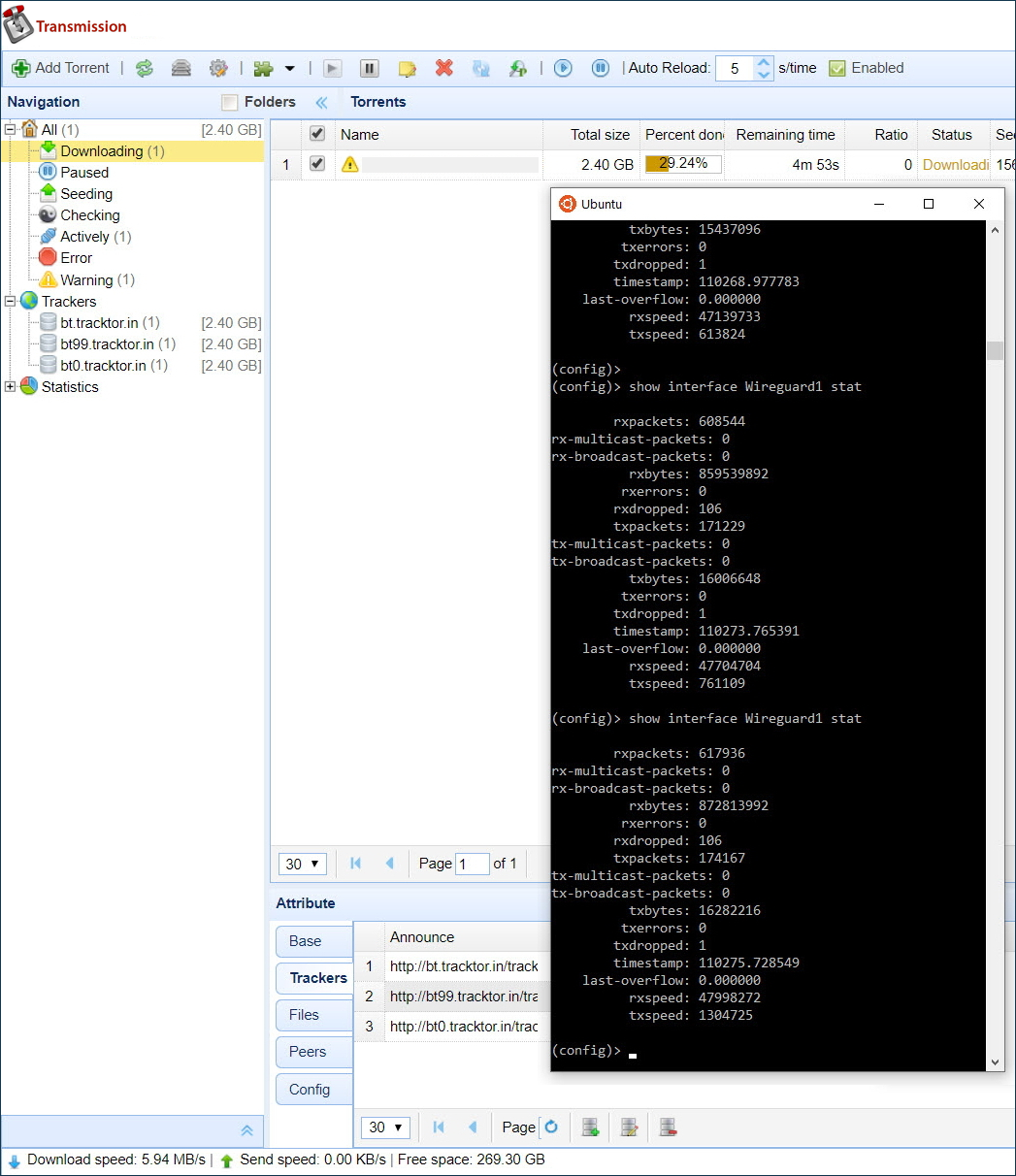
Router'ın web arayüzündeki Sistem Paneli sayfasında:
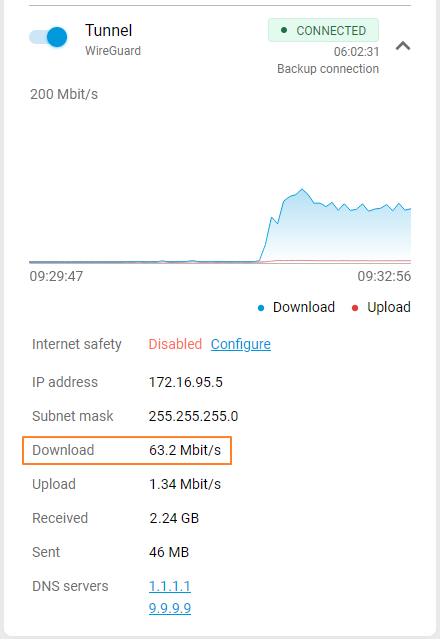
Aşağıdaki satır artık running-config yapılandırma dosyasında bulunmalıdır:
(config)> cat ndm:/running-config

file, name = ndm:/running-config:

torrent
 rpc-port 8090 public
 peer-port 51413
 directory WD:/components/transmission
 policy Policy2
Varsayılan ayarları geri yüklemek için aşağıdaki komutları çalıştırın:
(config)>no torrent policyTorrent::Client: Policy cleared. (config)>system configuration saveCore::ConfigurationSaver: Saving configuration...